

Access to eStar on clinical workstations changing Aug. 16
Access to eStar on clinical workstations changing Aug. 16
Beginning Aug. 16, the virtual desktop interface (VDI) instance of eStar will no longer auto-launch on clinical workstations (CWS). Users will have the opportunity to select one of the two icons below to launch eStar.
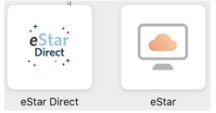
The eStar Direct icon will help users more quickly log into eStar for patient care activities, by bypassing the additional step of opening a separate virtual desktop. Users should also experience improved responsiveness within Hyperspace by using the new icon.
Users may also access eStar via the “legacy” icon, which will open a virtual desktop. This path may be preferable for users who require access to other clinical applications available on the virtual desktop, such as SECTRA’s IDS7 client
For users who use the eStar Direct icon and also require access to those other clinical applications, they may open a separate desktop window for accessing these applications.
Take the time now to familiarize yourself with using Hyperspace through eStar Direct. As of Nov. 21, eStar Direct will be the new manner through which users access Hyperspace, even when utilizing the virtual desktop.